OVERVIEW
Transforming confusing processes into intuitive experiences
The Product
HealthXchange (HX) is a healthcare startup that is building software to help dental practices manage appointments, treatments, and patient payments.
The Problem
The existing UX Pilot-generated screens created unnecessary cognitive load that sacrificed efficiency for daily staff tasks.
The Role
I worked with another designer to simplify 15+ complex workflows and redesign 70+ screens to modernize the interface and create an intuitive user experience.

DEFINE
Discovering workflow friction in a data-heavy dashboard
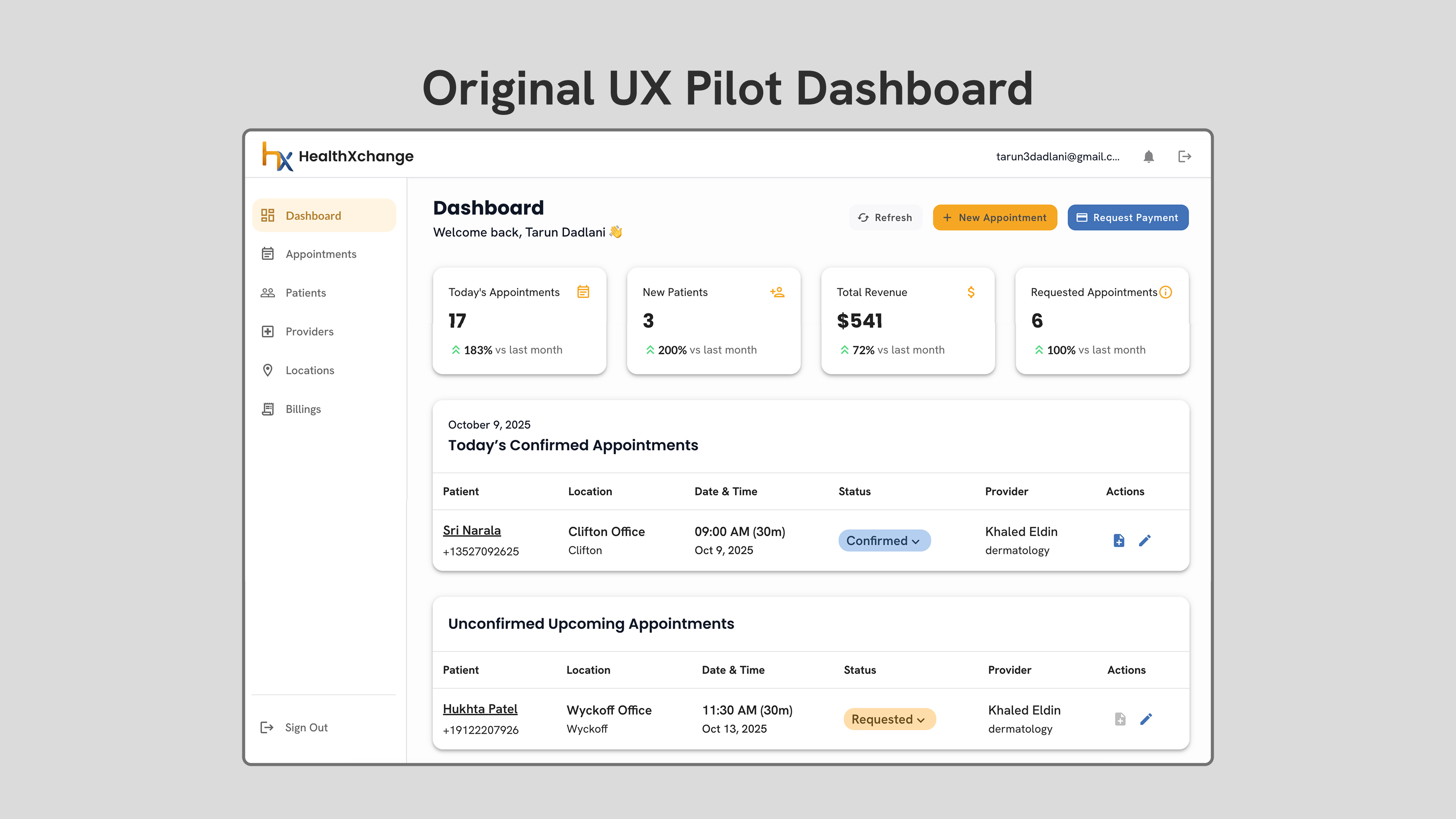
While auditing the dashboard, I noticed recurring usability issues:
- important actions were buried behind additional pages
- appointment and patient information competed visually in terms of hierarchy
- no clear primary action existed on the dashboard
IDEATE
Identifying opportunities to improve daily workflows
How can I help staff complete daily tasks with fewer steps?
1.
prioritize frequently used actions directly within the dashboard for easy access
2.
restructure information into sections based on user needs to improve readability
3.
establish reusable components to ensure a consistent design system
PROTOTYPE
Redesigning dashboard for action and clarity
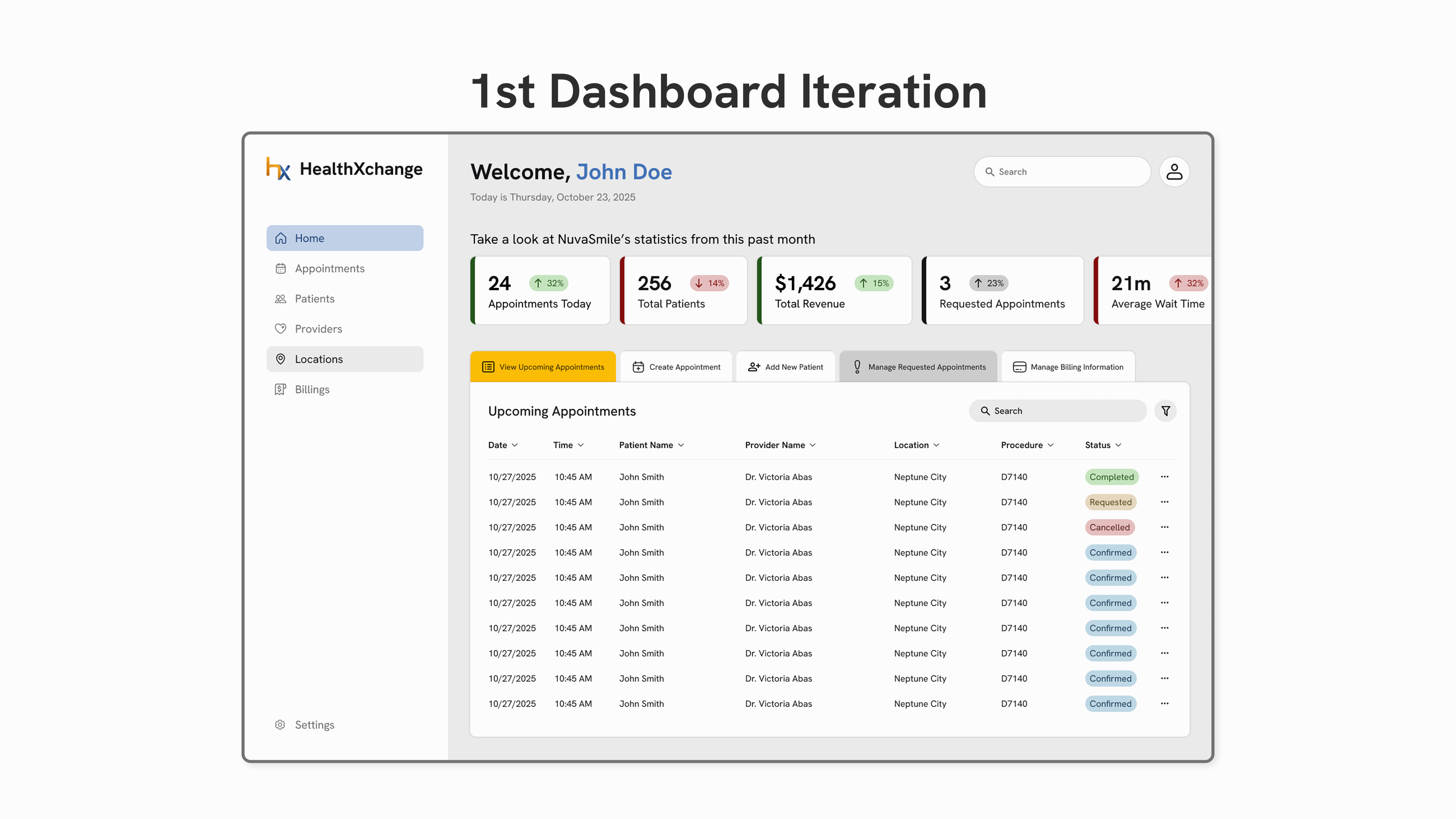
I focused on staff members prioritized actions to continue with my first iteration where I found these issues:
- no primary CTA
- too many colors that led to visual clutter and overwhelming users
- gray background makes interface looks dim other elements with a low color contrast
FINAL DESIGN
Transforming complex screens into an actionable workspace
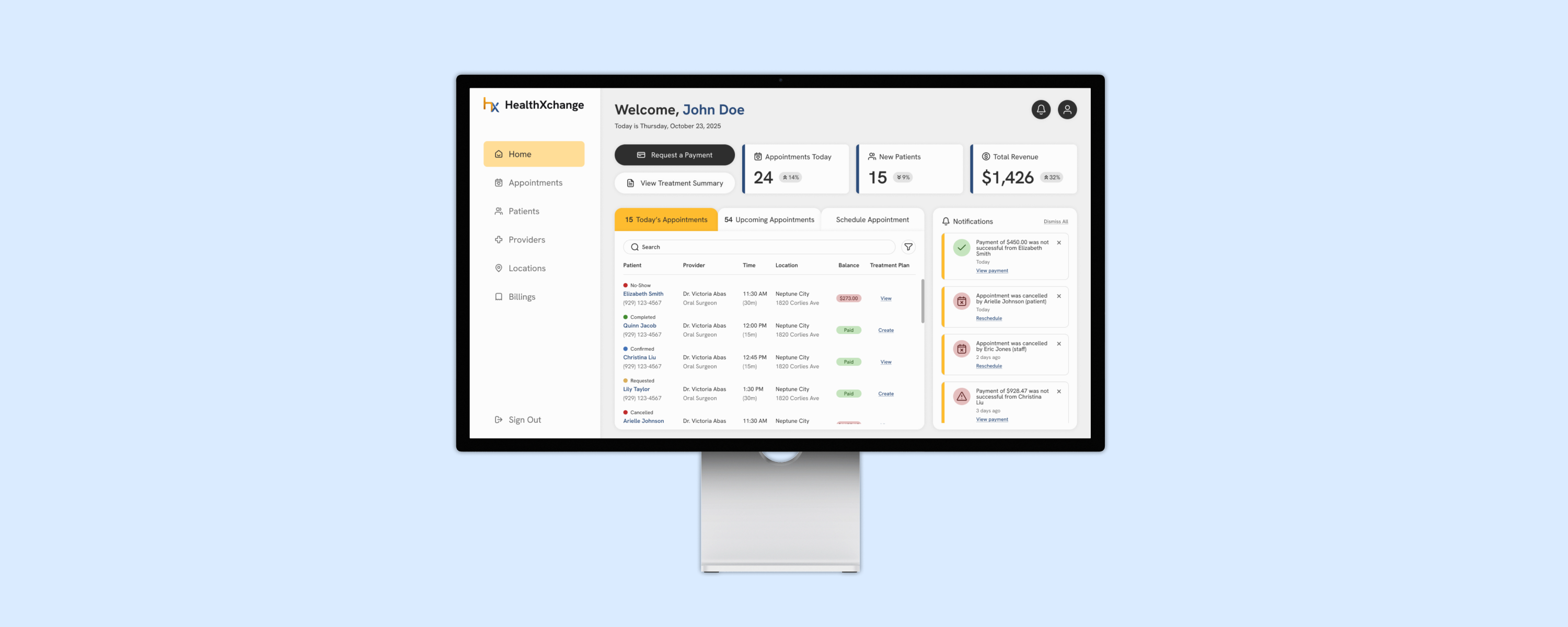
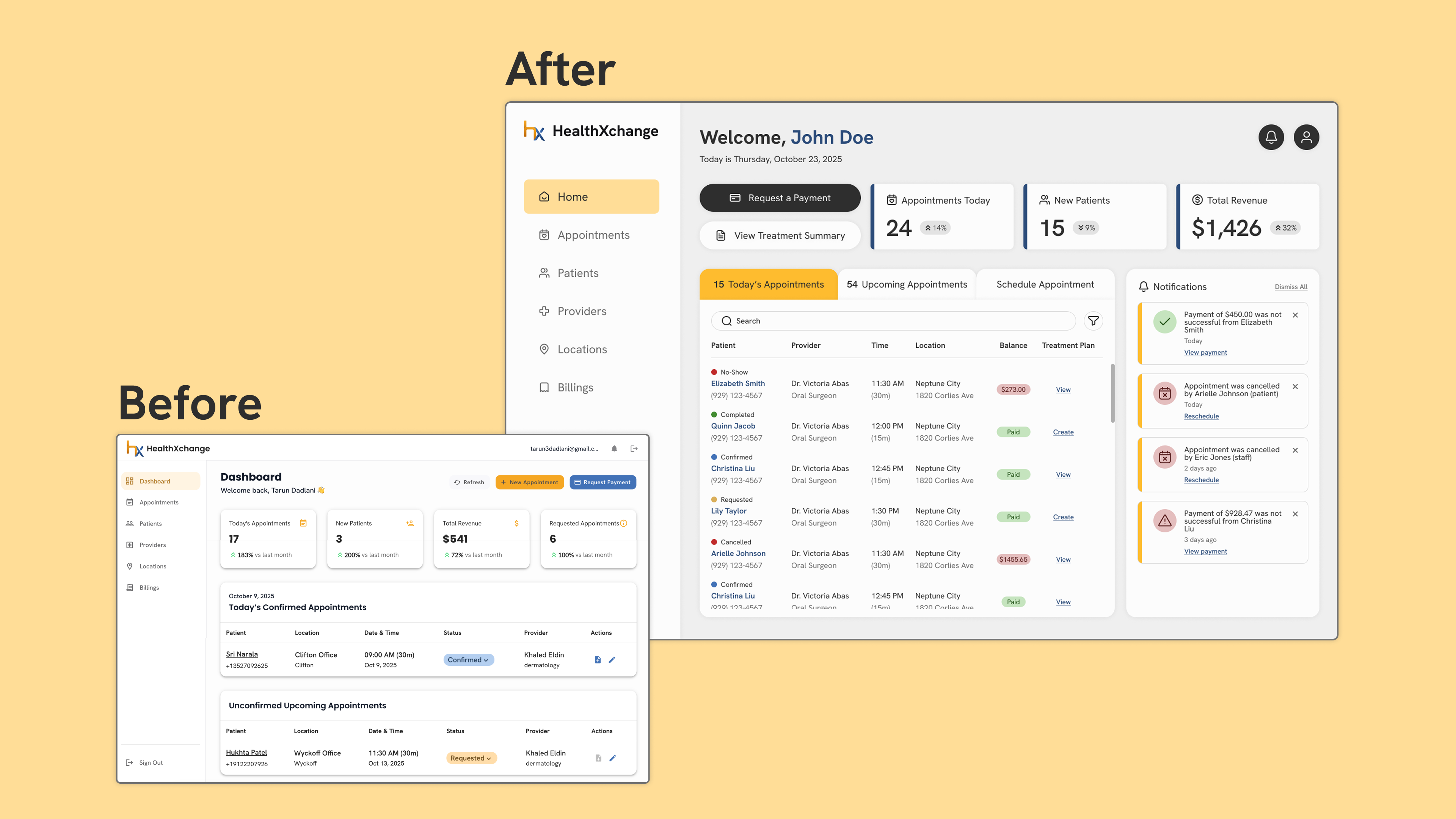
Dental staff can now complete appointment scheduling within their primary workspace after including important features and several improvements:
- reduced navigation friction by allowing for everyday-tasks, like appointment scheduling, to be done directly within the dashboard
- reorganized appointment data into a more scannable table structure
- strengthened visual hierarchy and introduced a clear primary CTA to guide user focus
[Note: due to NDA restrictions, additional flows and screens are not publicly displayed.]
REFLECTION
Designing to provide clarity for complex systems
Impact
- independently simplified ~7 user flows and refined ~35 out of 70+ screens to create clearer, and more efficient workflows
- established foundational UI patterns for visual consistency
- strengthened visual hierarchy across complex, data-heavy screens, helping users quickly identify important actions and information
Key Takeaways
Clarifying healthcare staff's daily workflow
As I worked on this project I started to focus on tasks that users complete most often. This allowed me to understand where users experience friction and come up with solutions that solve their daily pain points.
Collaborating cross-functionally to optimize efficiency
I worked alongside other designers and back-end engineers, strengthening my ability to balance user needs, technical constraints, and a scalable design.
Balancing speed and quality in a startup setting
Designing for a B2B SaaS healthcare platform challenged me to make intentional design decisions while refining ~70 screens in a 3-month timeline.